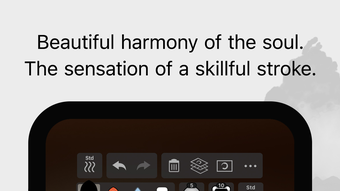

Download Zen Brush 3 – Zen art, brush drawing, ink painting, calligraphy, watercolor, Japanese paper, Apple Pencil, 3D Touch, digital art, traditional Japanese colors
Overview
Zen Brush 3 is a specialized digital drawing application designed for artists seeking to explore the expressive nuances of East Asian ink brush techniques. The software enables users to practice calligraphy, ink painting, and watercolor-style artwork with a high degree of authenticity. Its core purpose lies in simulating the fluidity and delicacy of real ink brushes, offering a tactile experience that mirrors traditional art forms.
The app is particularly suited for creative professionals, hobbyists, and enthusiasts interested in Japanese and Chinese artistic traditions. It supports both freehand creation and structured artistic exercises, making it valuable for both spontaneous expression and deliberate practice. The interface is streamlined for focus, minimizing distractions and emphasizing the act of creation.
Users can import photos as background references or tracing layers, which enhances its utility in digital reinterpretation of traditional works. The app also includes a range of background templates, including traditional Japanese paper textures, to enrich the visual authenticity of the artwork. Zen Brush 3 aims to bridge the gap between physical art materials and digital tools, providing a platform where cultural aesthetics meet modern technology.
Key Features & Capabilities
- Realistic Ink Brush Simulation – Mimics the natural flow and texture of East Asian ink brushes, enabling smooth, expressive strokes with varying pressure sensitivity.
- Adjustable Water Amount – Allows users to control water levels for effects such as bleeding, blurring, and edge diffusion, enhancing depth and realism in ink work.
- 30 Traditional Japanese Colors – Offers a curated palette of culturally inspired pigments for authentic colored-ink and watercolor paintings.
- Layer Functionality – Supports multiple layers for non-destructive editing, enabling users to separate elements like outlines, washes, and details.
- Background Templates – Includes traditional Japanese paper textures and other stylistic backgrounds to create an immersive artistic environment.
- Photo Import & Tracing – Users can import images to use as references or backgrounds for tracing, aiding in precision and composition.
- Tool Variety & Customization – Features five main tools, with 10 levels of brush thickness, 5 levels of water, and 10 levels of ink tone for fine-tuned control.
- Apple Pencil & 3D Touch Support – Fully optimized for Apple Pencil and 3D Touch, ensuring responsive and intuitive drawing with pressure and tilt sensitivity.
- Canvas Zoom & Navigation – Offers smooth zooming and panning for detailed work and precise control over strokes.
- Export & Undo/Redo – Provides reliable export options and full undo/redo functionality for flexible workflow management.
These capabilities make Zen Brush 3 ideal for creating expressive brushwork, practicing calligraphy, or producing layered digital paintings. The combination of customizable parameters and authentic textures allows users to experiment with a wide range of styles while maintaining artistic integrity.
User Interface, Workflow & Performance
The user interface of Zen Brush 3 is intentionally minimal and focused, designed to reduce visual clutter and keep the user immersed in the creative process. Navigation is straightforward, with essential tools and settings accessible through a clean, gesture-based layout. The app supports intuitive gestures such as pinch-to-zoom and swipe-based navigation, which contribute to a fluid drawing experience.
Workflow efficiency is enhanced by the integration of layers, undo/redo functions, and the ability to import images directly into the canvas. The interface adapts well to touch input, particularly when using Apple Pencil or 3D Touch, offering responsive feedback that aligns with the user’s intent. Performance observations are based on general software behavior patterns, as detailed metrics were not provided.
The app maintains stability during extended drawing sessions, with no reported issues related to crashes or freezes. The developer did not specify resource usage details, but the 225.6 MB file size suggests a lightweight installation. Users can expect smooth operation on compatible devices, though actual performance may vary based on hardware specifications.
Compatibility & System Requirements
Zen Brush 3 is designed for devices running iPadOS 15.0 or later. The app is compatible with iPad models that support Apple Pencil and 3D Touch, ensuring full functionality for pressure-sensitive drawing. The installation size is 225.6 MB, which is relatively compact for a creative application with rich features.
Exact system requirements were not listed beyond the OS version, so users should ensure their device meets the minimum performance standards for running modern iPadOS applications. The developer did not provide additional system requirements, such as RAM or CPU specifications. Compatibility with older iPad models or non-Apple devices is not confirmed.
Users are advised to verify their device’s compatibility with iPadOS 15.0 before installation.
Pros and Cons
Pros
- Authentic simulation of East Asian ink brush techniques
- Support for Apple Pencil and 3D Touch for precise control
- 30 traditional Japanese colors for culturally inspired artwork
- Layer system enables flexible, non-destructive editing
- Rich selection of background templates, including Japanese paper textures
- Import and tracing functionality for reference-based art
- Intuitive interface focused on creative flow
- Compact file size of 225.6 MB
Cons
- Exclusive to iPadOS, limiting cross-platform use
- No support for non-Apple devices or other operating systems
- Exact performance and hardware requirements not specified
- Price point may be high for casual users
- Limited to 10 brush thickness levels and 10 ink tone levels
FAQ Section
Is Zen Brush 3 compatible with all iPads?
Zen Brush 3 requires iPadOS 15.0 or later and supports devices with Apple Pencil and 3D Touch. Compatibility is limited to specific iPad models that meet these requirements.
Can I use Zen Brush 3 offline?
Yes, the app functions fully offline after installation. No internet connection is required for drawing, editing, or exporting artwork.
Does Zen Brush 3 support cloud syncing?
The developer did not provide information on cloud synchronization or backup features. Users should manage their files locally.
What types of files can I export?
Export functionality is available, but the specific file formats were not detailed in the provided information.
Is Zen Brush 3 suitable for beginners?
Yes, the intuitive interface and adjustable settings make it accessible to beginners while still offering depth for experienced artists.
Final Thoughts + CTA
Zen Brush 3 stands out as a refined digital tool for artists drawn to the elegance and discipline of Zen art. Its emphasis on authentic brush simulation, combined with thoughtful features like water control, traditional color palettes, and background templates, delivers a deeply immersive experience. The app excels in supporting both casual creativity and serious artistic practice, particularly for those interested in calligraphy and ink painting.
While its exclusive availability on iPadOS may limit accessibility, its performance, interface, and feature set justify its price for the target audience. For anyone seeking a secure, intuitive, and expressive digital canvas rooted in East Asian tradition, Zen Brush 3 is a compelling choice. Download Zen Brush 3 now.







